Can you reuse safe zone margins at a different resolution?
Reuse the four percentage margins when the new frame has the same aspect ratio and you want the same relative guide. Pixel margins scale with the frame. Record the percentages before resetting; the checker does not save a reusable settings profile. A different aspect ratio requires a fresh visual review.
Our repeatable calculation
We traced the checker drawing rule: the left boundary is width times left margin divided by 100; the right boundary is width times one minus right margin divided by 100. Top and bottom use height in the same way. These calculations describe our adjustable guide, not measured YouTube interface coverage.
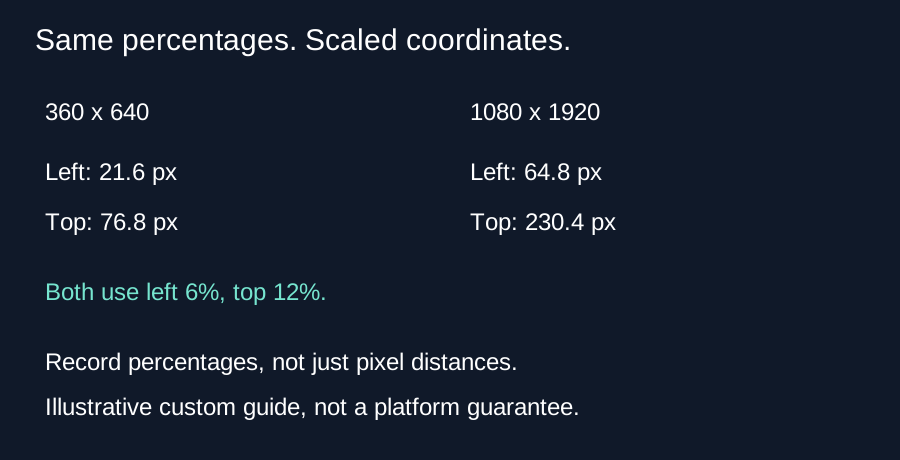
For our deliberately chosen custom settings, use top 12 percent, bottom 28 percent, left 6 percent and right 18 percent. At 360 by 640, the left boundary is 360 times 0.06, or 21.6 pixels. The right boundary is 360 times 0.82, or 295.2 pixels. The top boundary is 640 times 0.12, or 76.8 pixels. The bottom boundary is 640 times 0.72, or 460.8 pixels. The inner guide width is 273.6 pixels and its height is 384 pixels.
Repeat at 1080 by 1920 with the same percentages. The boundaries are 64.8, 885.6, 230.4 and 1382.4 pixels respectively. The inner width is 820.8 pixels and the inner height is 1152 pixels. Every coordinate is three times its earlier value, because both frame dimensions increased by a factor of three. No new margin measurement was needed to reproduce that relative rectangle.
Why copying pixel values changes the guide
If you instead copy the old left margin of 21.6 pixels into a 1080-pixel-wide frame, its percentage becomes 21.6 divided by 1080 times 100, or 2 percent. The intended value was 6 percent. The copied pixel distance is only one third of the intended distance. The same problem affects the other edges when you keep fixed pixel margins while increasing the frame dimensions.
A 1080 by 1080 square exposes a separate limitation. With our same percentages, the inner guide width is still 820.8 pixels, but the height becomes 648 pixels. The inner width divided by height changes from 0.7125 in the portrait example to about 1.267 in the square. Percentages reproduce relative edges; they do not turn a square composition into a portrait composition or prove that interface elements cover the same areas.
What we tested
Our calculation script asserts the three-times relationship for every boundary and calculates the fixed-pixel counterexample. It reads the current drawing formulas from the source for inspection. This is an independent arithmetic test, not a phone playback experiment. The downloadable preview is a rendered image, not a settings file; the current implementation has no profile import or export. Record all four percentages in your own notes when you need to recreate them.
A short reuse checklist
Write down top, bottom, left and right percentages before reset. Load the new source and enter those values again. Inspect the actual frame, caption placement and composition. Keep a separate note for different aspect ratios or viewing layouts.
Questions and answers
Can I upload my old overlay as a settings profile?
No. An image can be loaded as source media, but its pixels are not parsed into margin settings.
Does a saved PNG remember the sliders?
No. Record the percentage values separately.
Does the same rectangle guarantee safe subtitles?
No. It is a guide. Review the subtitles and the viewing interface yourself.
Open the checker · Check reset behavior
Visual walkthrough
Text-led walkthrough without audio.