Does Reset guide remove the caption reference?
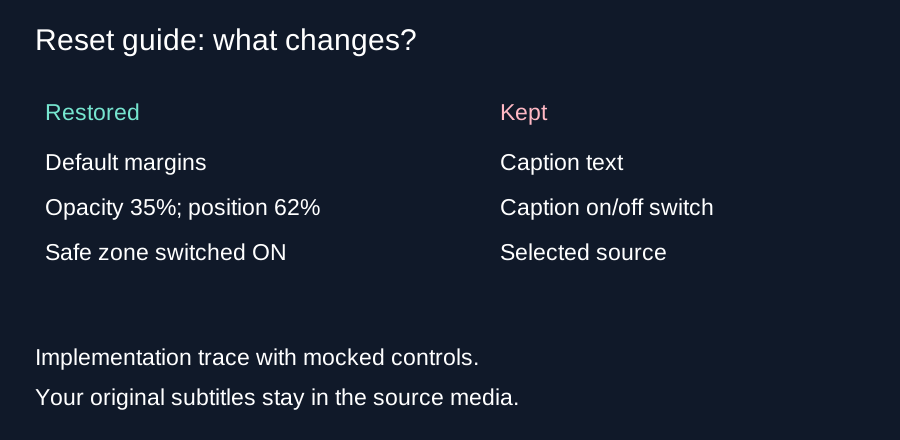
Reset guide restores the default margins, turns the safe zone on, sets shading opacity to 35 percent and moves the caption reference to 62 percent of the frame height. It keeps your caption text and its on/off switch. Uncheck Show caption reference yourself when you want it hidden.
What our reset check changed
We extracted the reset function from the current checker source and executed it with explicit test controls. Before the call, our simulated controls used custom margins of 5 percent top, 10 percent bottom, 12 percent left and 8 percent right. Shading opacity was 70 percent, the caption position was 80 percent, and the safe zone switch was off. The caption-reference switch was on with the text Keep this test caption.
After the call, the preset was the advertising reference. The top and bottom margins were 15 and 35 percent. The left margin was 48 divided by 1080 times 100, about 4.444 percent; the right was 192 divided by 1080 times 100, about 17.778 percent. Opacity was 35 percent and the caption position was 62 percent. The safe zone switch was on.
The caption-reference switch stayed on, and its text remained Keep this test caption. Our source marker also remained unchanged. The extracted function assigns no new value to the caption text, caption checkbox or selected source. This explains why a reset can bring the guide back while leaving your added reference caption visible.
How far the reference moves
For a hypothetical 360 by 640 frame, the reference caption center starts at 640 times 0.80, or 512 pixels from the top. Reset changes that center to 640 times 0.62, or 396.8 pixels. The change is 396.8 minus 512, which equals negative 115.2 pixels: an upward movement of 115.2 pixels. These are calculations from the tool's position rule, not measurements of actual subtitles.
The default bottom boundary for that frame is 640 times one minus 0.35, or 416 pixels. The reference box height follows width times 0.042 times 1.65. At width 360, that is 24.948 pixels. Its lower edge after reset is 396.8 plus half of 24.948, or 409.274 pixels. That edge sits 6.726 pixels above the default bottom boundary. The left and right edges still need their own check; a vertical clearance alone does not establish that the whole box fits.
Resetting twice
Running the same reset assignments again restores the same values. There is no history stack in this function. It cannot recover custom margins you used before the first reset. Write down those settings or save a review image if you will need them later.
Our executable check used mocked controls and a stub for the redraw call. It was not a live browser click test and does not establish rendering or playback behavior. The source trace and calculation support the control values described here. Reset does not edit the original video or remove subtitles baked into it.
Before you press reset
Keep a note of custom margins you need to reuse. After reset, check both reference switches and the caption text before downloading. If you want a clean still preview, turn off Show safe zone and Show caption reference. To change real subtitles, return to your editor.
Questions and answers
Will reset empty my caption text?
No. The current reset function leaves the text field unchanged.
Will it hide an enabled caption reference?
No. Uncheck Show caption reference separately.
Why did the safe zone reappear?
Reset sets Show safe zone to on.
Does reset restore previous custom margins?
No. It restores the default reference margins, without an undo history.
Open the tool · Hide reference drawings
Visual walkthrough
Text-led walkthrough without audio.