Why does the same caption reference take more vertical space on a square frame?
In this checker, the reference background height follows frame width. With the same width but a shorter frame, that box occupies more of the frame height. Reusing the same position percentage can therefore change its clearance above the bottom guide. This concerns the typed reference, not subtitles inside your file.
The box height follows width
We inspected the reference drawing formula in this checker. It sets the starting font size to frame width multiplied by 0.042, and the background height to that starting size multiplied by 1.65. Combining them gives background height equal to 0.0693 times frame width. Frame height is not an input to that height expression. This explains the reference geometry, not the layout of subtitles already in a video.
Compare two frames without changing width
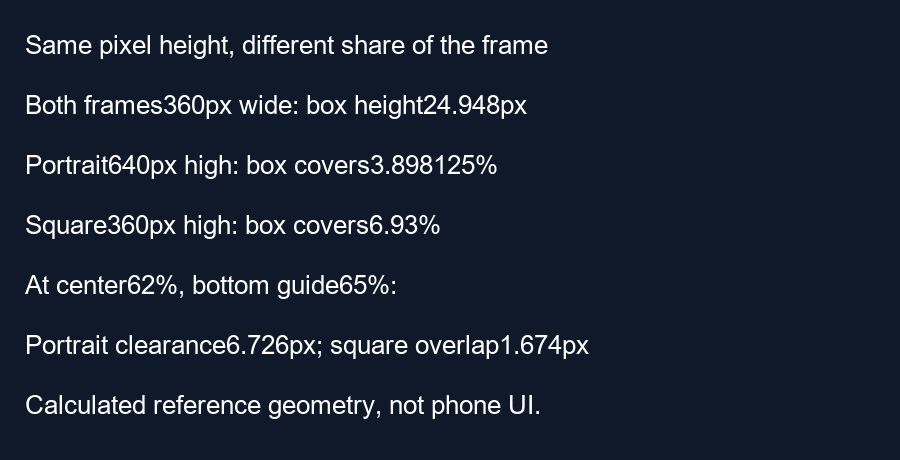
Choose a portrait frame measuring 360 by 640 pixels and a square frame measuring 360 by 360 pixels. These are calculation inputs, not dimensions read from a visitor file. The starting reference size is 360 times 0.042 equals 15.12 pixels in both. Its background height is 15.12 times 1.65 equals 24.948 pixels in both. In absolute pixel units, the background has not grown.
Divide that height by each frame height. In the portrait frame, 24.948 divided by 640 times 100 equals 3.898125 percent. In the square frame, 24.948 divided by 360 times 100 equals 6.93 percent. The relative height has increased by a factor of 640 divided by 360, approximately 1.7778, because the denominator became smaller. Our script asserts both fractions and the shared pixel height.
Keep the position setting and compare edge clearance
Use the tool's default bottom margin of 35 percent and choose the same caption center setting of 62 percent. The bottom guide is at 65 percent of frame height. The center-to-guide distance is therefore three percent of frame height. For the portrait input that is 19.2 pixels; for the square input it is 10.8 pixels.
Half the reference background height is 12.474 pixels. Subtract that from the center-to-guide distances to check the lower edge. The portrait example leaves 6.726 pixels of geometric clearance. The square example produces negative 1.674 pixels, meaning the reference box crosses that chosen bottom boundary by 1.674 pixels. Identical percentages do not preserve the result when the box height follows a different axis.
What this comparison establishes
The calculation isolates one implementation choice: a width-based box inside frames with different heights. It does not establish actual font rasterization, readability, phone cropping or a universal Shorts boundary. A square preview is not a substitute for checking the final portrait export. Recheck the exported composition after changing its aspect ratio, and inspect the real caption background rather than treating this typed reference as subtitle detection.
Questions and answers
Did the reference box get taller in pixels?
Not in this equal-width example. It occupies a larger fraction of the shorter frame.
Does the caption center percentage preserve its edge clearance?
No. Its center follows frame height, while the reference background height follows frame width.
Will this resize my actual subtitles?
No. Change real subtitles in your video editor and check the final exported frame.
Preview your export · Check the complete lower edge
Visual walkthrough
Text-led walkthrough without audio.