Why does a long caption reference look smaller?
The checker shrinks a long reference line when its measured width exceeds 84 percent of the frame width. It keeps the reference on one line rather than wrapping it. This changes only the caption reference you type into the tool; it does not resize subtitles inside your uploaded video.
Tracing the current reference drawing rule
We inspected the checker source. It starts the caption reference at a font size equal to frame width times 0.042. It measures the text, compares that result with frame width times 0.84, and reduces the font size when the measured line is wider. It then measures again before drawing the background box. There is no line-breaking step in this branch.
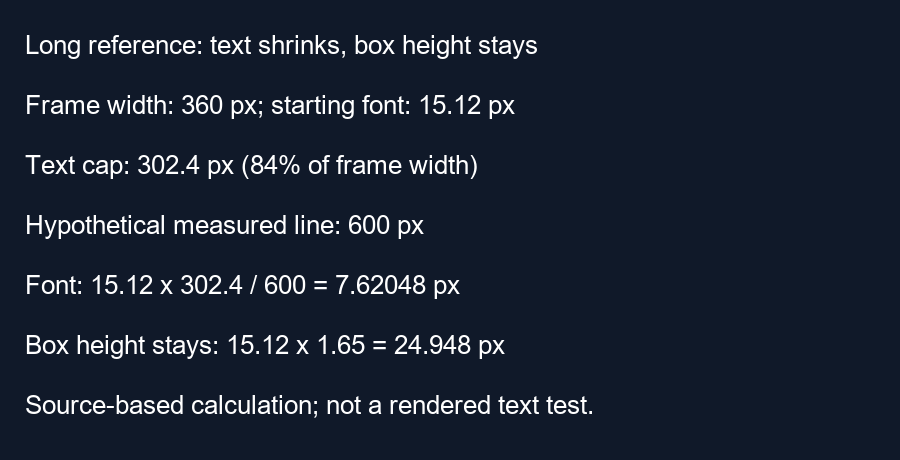
For a 360-pixel-wide frame, the starting font size is 360 times 0.042, or 15.12 pixels. The text-width cap is 360 times 0.84, or 302.4 pixels. For a deliberately hypothetical initial text measurement of 600 pixels, the shrink factor is 302.4 divided by 600, or 0.504. The assigned font size becomes 15.12 times 0.504, or 7.62048 pixels. Our calculation script asserts these values. The 600-pixel measurement is an input to the example, not a measurement of a real sentence.
A smaller line does not mean a shorter box
The reference background height uses the original starting font size times 1.65, even after the line is shrunk. In our example, the box height remains 15.12 times 1.65, or 24.948 pixels. The drawn text can therefore look small inside a relatively tall background. Moving the caption position changes its center, while this box-height expression remains tied to frame width.
The background width is the second text measurement plus frame width times 0.05. If that second measurement were exactly 302.4 pixels, the box would be 320.4 pixels wide: 302.4 plus 18. Centered in a 360-pixel frame, its left edge would be 19.8 and its right edge 340.2. The second measurement is performed by the browser, so we treat exact equality to the cap as a conditional example rather than a measured rendering result.
Why the cap is not a safety guarantee
The default right guide boundary follows frame width times one minus 192 divided by 1080. At width 360, that boundary is 296 pixels. In the conditional box example, the right edge at 340.2 exceeds that boundary by 44.2 pixels. Fitting a line to the text-width cap does not necessarily fit the whole reference box inside asymmetric guide margins.
This source trace explains an implementation choice in this checker. It does not establish font appearance on every browser, a readability threshold or YouTube interface measurements. Our script verifies the arithmetic, while the source confirms that font scaling and background geometry use different expressions. To make real captions readable, change their wording, line breaks or layout in the editor where those captions are created.
What to try next
Shorten the reference phrase so its size remains useful for inspection. Check the whole box against every edge. For real multi-line subtitles, use the final exported frame instead of treating this single-line reference as a subtitle renderer.
Questions and answers
Does the tool wrap long references?
The current drawing branch scales the single line; it does not lay out several lines.
Will this change the subtitles in my video?
No. The reference is a separate drawing.
Does fitting the width cap mean the caption is safe?
No. Inspect the padded box and the chosen margins too.
Try the checker · Check the whole caption width
Visual walkthrough
Text-led walkthrough without audio.