Why does moving a caption upward not fix right-edge overlap?
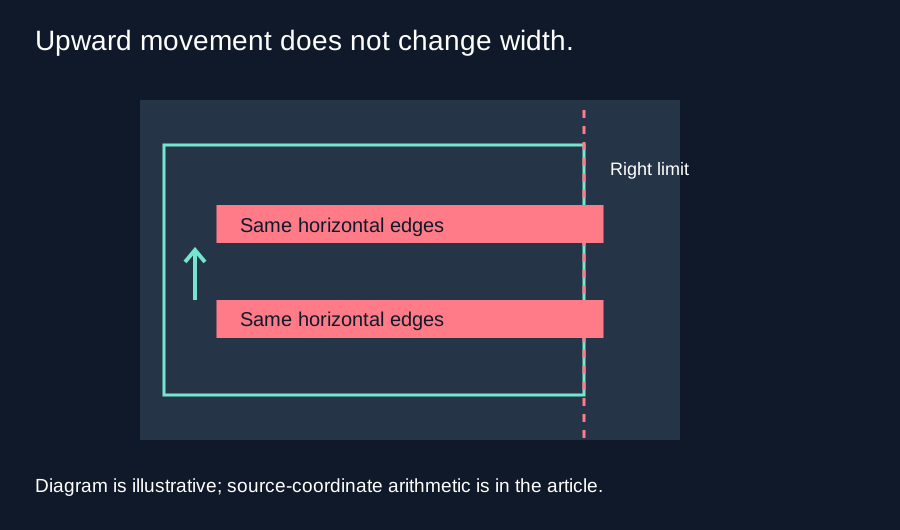
Moving a caption upward changes its vertical position, not its width or right edge. If the caption is too wide for your guide, shorten or reflow the text, reduce its size in your editor, or move it horizontally. Then check all four edges again.
Separate the horizontal and vertical checks
Short Frame Check tests a caption reference box against four boundaries. The horizontal test asks whether its left edge is left of the guide or its right edge is right of the guide. The vertical test asks whether its upper edge is above the guide or its lower edge is below it. Any failed test produces an intersection warning. Passing the bottom test alone does not make the entire box fit.
The vertical position control changes cy, the reference box center measured as a percentage of source height. It does not change the measured text width tw or the box width bw. In this implementation bw = tw + 0.05 × source width, and the centered box starts at cx = (source width − bw) / 2. Its right edge is cx + bw. None of those three horizontal expressions includes cy.
Calculate a width limit for a centered box
Use an illustrative 540 by 960 frame and the current default margins. The guide left edge is 540 × 48 / 1080 = 24 pixels, and its right edge is 540 × (1 − 192 / 1080) = 444 pixels. For a centered box to pass the right check, (540 + bw) / 2 must be no greater than 444. Solving gives bw no greater than 348 pixels. The left check gives bw no greater than 492 pixels, so the right side is the tighter constraint in this asymmetric guide.
The box adds 540 × 0.05 = 27 pixels around the measured text width. The corresponding measured-text limit is therefore 348 − 27 = 321 pixels. This is a derived limit for this tool’s centered reference and these margins, not a character-count limit. Font, size and actual glyphs change text measurement. It is not an official YouTube rule.
One failure that an upward move cannot remove
Suppose the measured text width is 360 pixels. The box width is 360 + 27 = 387 pixels, its left edge is 76.5 pixels, and its right edge is 463.5 pixels. The right edge exceeds the guide by 463.5 − 444 = 19.5 pixels. At either a 62% or a 50% vertical center, those horizontal numbers stay the same. Moving upward cannot remove this particular overlap.
Now use a measured text width of 300 pixels. The box width becomes 327 pixels, its left edge is 106.5, and its right edge is 433.5. That passes the horizontal checks for this example. It still needs the vertical checks. The tool’s font reference is 540 × 0.042 = 22.68 pixels; its box height is 22.68 × 1.65 = 37.422 pixels. At a 62% center, the lower edge is 960 × 0.62 + 37.422 / 2 = 613.911 pixels, less than the guide’s 624-pixel lower boundary.
These examples use chosen measured widths so the arithmetic is reproducible. They are not readings of a particular subtitle string or phone interface. The real caption in your source is not moved by the reference control. Make the actual adjustment in your editor, export a representative frame, and check that frame again.
What to adjust next
- If the lower edge alone crosses the guide, consider an upward move.
- If the right edge crosses it, inspect width, line breaks and horizontal placement.
- Check the complete box after every change; fixing one edge can create a different overlap.
- Review the edited video on your phone before treating a still check as complete.
Questions and answers
Does the caption reference edit my subtitles?
No. It is a separate drawing used for inspection, not a subtitle editor.
Can I use a fixed character count?
No reliable count follows from this calculation. Different words and fonts have different widths.
Should I move everything left?
Check both side boundaries before deciding. A leftward move can create a left-edge overlap.
Does changing the margins change the limit?
Yes. Recalculate using the actual margins you selected; this example uses the default guide.
Open the tool · Check the whole box
Quick visual walkthrough
Text-led walkthrough without audio.