Can a subtitle shadow cross the guide when its background fits?
Yes. Check the full visible subtitle treatment, including its shadow, rather than only the background rectangle. The typed reference does not reproduce effects from your editor. Our controlled hard-shadow example shows a background fitting while its translated shadow crosses the bottom guide.
Include the visible effect in the check
A background rectangle is only part of a styled subtitle. A shadow can extend below or beside it. We checked the current reference drawing code: it draws its own background and text, then compares that background with the guide boundaries. It does not read your editor's shadow settings or detect effect pixels already present in an uploaded frame. A reference fit result therefore cannot approve an arbitrary subtitle effect.
Our controlled hard-shadow example
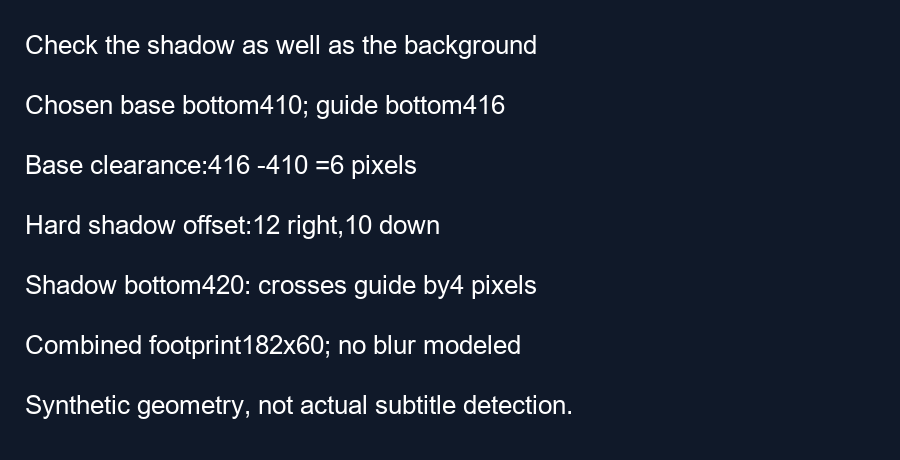
We created a synthetic 360 by 640 image with a chosen background rectangle bounded by x equals 100 through 270 and y equals 360 through 410. For this geometry, edges describe a continuous rectangle; the saved raster uses the corresponding half-open pixel ranges. The default guide's right boundary is 296 pixels and its bottom boundary is 416 pixels. The background has 26 pixels of right clearance and six pixels of bottom clearance.
To isolate offset from blur, we added a solid rectangular shadow translated 12 pixels right and ten pixels down. These are chosen experiment inputs, not a measurement of real subtitles. The translated bounds are x equals 112 through 282 and y equals 370 through 420. The right edge still has 14 pixels of clearance, while the lower edge crosses the bottom boundary by four pixels.
The combined footprint runs from x equals 100 to 282 and from y equals 360 to 420. Its size is therefore 182 by 60 pixels. Our script builds masks for both rectangles, takes their union and measures the occupied raster bounds. The resulting bounding box matches the independent coordinate calculation. The base rectangle fits, but the union fails the lower-edge comparison.
Calculate how far this example must move
Keeping the hypothetical effect unchanged, translate the entire styled block upward by four pixels. The background bottom becomes 406 and the shadow bottom becomes 416. The shadow now touches the chosen boundary. This is an equality case in our geometry, not a recommended practical buffer. Any desired extra clearance must be added separately and then checked on the actual export.
This experiment deliberately has no blur. A blur radius is not used as a guaranteed finite visible extent here, and we do not claim these rectangles reproduce a real font shadow. Their purpose is to demonstrate why testing only a background can miss an offset effect. Real exports may include soft edges, outlines or several shadows; inspect the full treatment instead of borrowing this example's dimensions.
Questions and answers
Does the typed reference reproduce my editor's shadow?
No. It is a separate drawing with its own styling.
Can I add the blur radius to the box and call that exact?
This example establishes no such rule. Inspect the rendered effect in your export.
What should I upload for a meaningful review?
A frame containing the real subtitle and its complete styling. Check several frames if the caption moves or changes.
Review your exported frame · Check a multi-line block
Visual walkthrough
Text-led walkthrough without audio.