Can the caption reference preview multiple subtitle lines?
No. The current typed reference is a single-line drawing. To review multi-line subtitles, load a frame showing the real exported caption block and inspect its complete background and effects. A short reference fitting inside the guide does not establish that a taller subtitle block fits.
What the reference actually draws
We inspected the current tool source. Its caption field is a text input, and the drawing function passes that field's value into one canvas text drawing call at one vertical center. This branch has no loop over subtitle lines and no line-height setting. The background height follows frame width times 0.042 times 1.65. It does not grow with the number of lines in an exported subtitle block.
A controlled comparison with a taller block
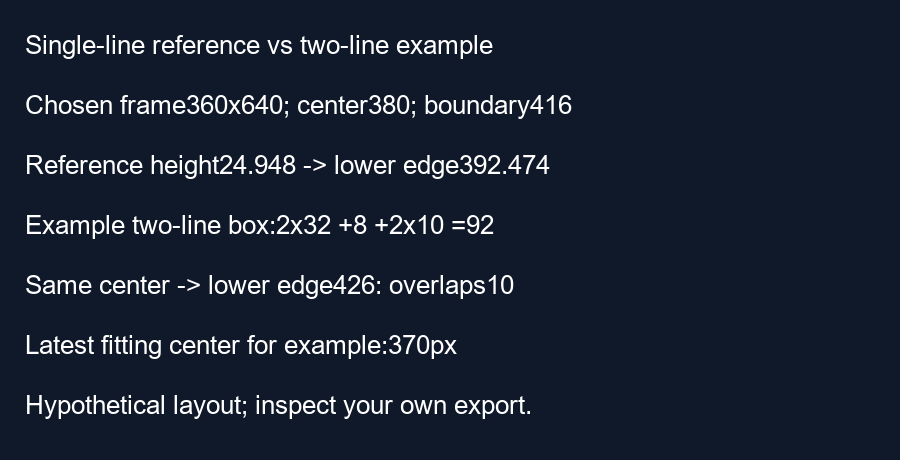
Choose a 360 by 640 frame. The reference background height is 360 times 0.042 times 1.65 equals 24.948 pixels. Half its height is 12.474 pixels. Choose a center of 380 pixels and the tool's default bottom guide at 640 times 0.65 equals 416 pixels. The reference's lower edge is 380 plus 12.474 equals 392.474 pixels, leaving 23.526 pixels before the boundary.
For a separate hypothetical subtitle layout, choose two line boxes each 32 pixels high, an eight-pixel gap and ten pixels of background padding above and below. Its full background height is two times 32 plus eight plus two times ten equals 92 pixels. These are deliberately chosen layout dimensions, not measured glyphs or recommended editor settings.
Keep the same center of 380 pixels. The taller block's lower edge is 380 plus 92 divided by two equals 426 pixels. It crosses the chosen boundary by ten pixels, although the shorter reference fits. Moving both examples to the same center therefore does not make them equivalent. Our calculation script asserts both lower edges and their different fit results.
Choose a center from the actual block height
For that hypothetical two-line background, the latest center that keeps its bottom edge at or above the boundary is 416 minus 46 equals 370 pixels. Relative to frame height, that is 370 divided by 640 times 100 equals 57.8125 percent. The shorter reference would allow a lower center under these same guide settings. Using its result to approve a taller block would test the wrong rectangle.
This example demonstrates a possible mismatch, not a measurement of every two-line subtitle. Different editors, fonts, line spacing and backgrounds produce different boxes. The source trace establishes what this checker draws; the independent arithmetic establishes what the chosen rectangles do. Neither proves that real YouTube interface elements will leave your text visible.
Review the exported treatment
Export a frame containing the real multi-line caption, including its background and effects. Inspect its full height against the guide and repeat when the caption changes. The typed reference remains useful for rough composition, but it cannot stand in for the actual exported block.
Questions and answers
Does this tool generate multi-line subtitles?
No. Its current typed reference draws a single text line.
Will a reference fit message approve my exported captions?
No. The message concerns the reference background, not subtitles already in your media.
Must every two-line caption be moved to the example position?
No. Measure your own exported block and use the margins chosen for your review.
Inspect an exported frame · Calculate bottom clearance
Visual walkthrough
Text-led walkthrough without audio.