Why do the letters fit while the caption background overlaps?
The caption background is wider than the measured text because it includes padding. In this checker, the added width is five percent of the frame width. Its overlap message checks the full background box, so the letters can appear inside a guide while the background extends past it.
Separate the text span from its background
The checker measures the typed reference text, then adds padding to the background width. In its current drawing rule, total background width equals the measured text width plus five percent of the frame width. Because the box is centered, half of that added width sits on each side of the measured text span. A text-width result therefore does not describe the full background.
An independent counterexample
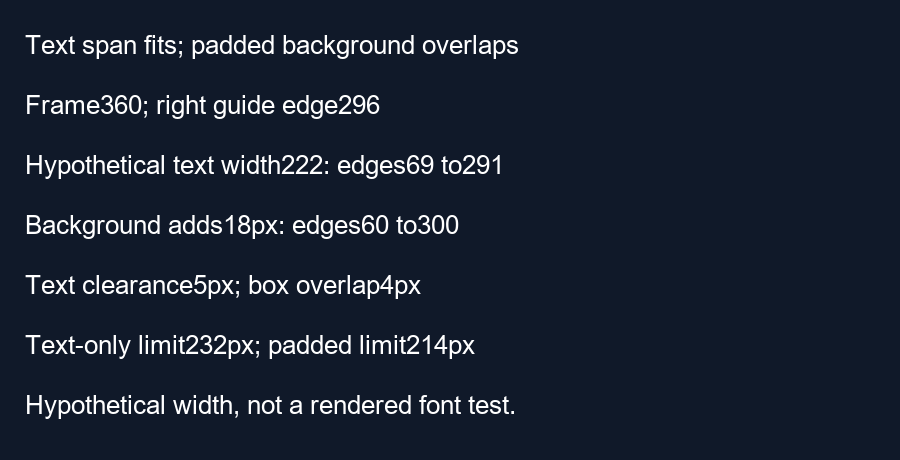
Use a 360-pixel-wide frame and the checker's default guide edges. The left edge is 16 pixels and the right edge is 296 pixels. Choose a hypothetical text measurement of 222 pixels after any font adjustment. Centering that measured span at 180 places its left edge at 69 and its right edge at 291. Both edges are inside the guide. The measured span has 5 pixels of clearance on its right.
The added background width is 360 times 0.05, or 18 pixels. Total box width becomes 222 plus 18 equals 240 pixels. Centering that box at 180 puts its edges at 60 and 300. Its right edge now exceeds the guide's right edge by 300 minus 296 equals 4 pixels. The padding added 9 pixels on the right: enough to consume the earlier 5-pixel clearance and leave a 4-pixel overlap.
Calculate the stricter width bound
For a centered box in a frame of width W, with right guide edge R and measured text width T, the text-only right edge is W divided by two plus T divided by two. Requiring it to be at most R gives T no greater than two times R minus W. With our values, the text-only limit is 232 pixels.
For the padded box, replace T with T plus 0.05 times W. The corresponding limit becomes T no greater than two times R minus W minus 0.05 times W. That is 592 minus 360 minus 18 equals 214 pixels. The hypothetical 222-pixel line falls between the two limits: it passes the text-only condition but fails the padded-box condition.
Our executable check and its limits
Our calculation script asserts the four edges, the 5-pixel text clearance, the 4-pixel box overlap and the two width limits. It uses a hypothetical measurement to isolate padding. We did not measure a real sentence or render a particular font. Actual glyph ink can also differ from the measured advance width; this example deliberately concerns the measured span used by the drawing code.
The tool's overlap message compares the background box coordinates. It can therefore flag a reference even when its letters appear to clear the boundary. Inspect all four sides, and treat any calculation here as a reference check rather than a measurement of YouTube interface coverage.
Check the complete caption treatment
In your editor, include the background, outline and other styling when reviewing placement. Shortening a line can help when the whole treatment is too wide. Recheck the final exported frame instead of relying on the visible letters alone.
Questions and answers
Does this example measure the words in my video?
No. The checker uses the text you type as a reference.
Can I remove the reference padding with a control?
The current checker does not offer a separate padding control.
Should I ignore a box overlap if the letters fit?
Review the whole treatment. The background can cover or be covered by interface elements too.
Check a frame · Find a horizontal center interval
Visual walkthrough
Text-led walkthrough without audio.